

Last Updated: November 2, 2026
Quick Summary
A virtual office address is a real business street address that receives your mail and packages, so your home address stays off public records, invoices and your website. It gives your business a professional location without the cost of leasing an office.
- Your home address can appear on public business registration records once it is filed.
- A virtual office address can separate your work location from your home, though it does not replace privacy obligations.
- A PO box hides your home address but often cannot receive couriers or serve as a registered office address.
- Ask providers how they log, scan, forward and shred mail containing personal information before you sign.
- Confirm with the relevant registry which address fields are published and whether a virtual office address is accepted.
Table of Contents
- What a Virtual Office Address Actually Is
- How Using Your Home Address for Business Exposes You
- Business Address for Company Registration: What Public Records Show
- Virtual Office vs PO Box for Privacy and Credibility
- Virtual Office Mail Handling and Forwarding
- Privacy Beyond the Address: Data Protection and Digital Security
- Choosing a Virtual Office That Protects Your Privacy
- Frequently Asked Questions
What a Virtual Office Address Actually Is
A virtual office address is a real business street address that you rent without leasing an office.
The idea is simple. The address is real, the mail is real, and the space behind it is shared. You do not sit in a room there every day.
Many virtual office providers bundle a few services together:
- A registered business address for company paperwork
- Mail receiving, scanning and forwarding
- Access to meeting rooms by the hour or day
Provider terms and fees vary, so check what each plan includes before you sign.
How Using Your Home Address for Business Exposes You
Many sole proprietors and freelancers start by using their home address. It is free and easy, but it puts your personal life on the record.
Your home address can show up in several places:
- Your business registration and public corporate records
- Invoices, contracts and client files
- Your website, directories and online listings
Once it is public, it is hard to take back. Anyone who searches your business name can find where you live.
Using a separate address does not make you untouchable. It does reduce the number of places where your home is linked to your work.
Business Address for Company Registration: What Public Records Show
When you register a business, the address you file does not stay inside a filing cabinet. In most Canadian registries it becomes part of a searchable public record. Anyone, a client, a competitor, a former partner, can look up your business name and, depending on the registry and the address type you filed, see where your business is located.
That is the privacy problem in one sentence: registration is designed to be public, and your home address is the default many solo owners file without thinking.
What actually becomes public
Federal corporations and provincial or territorial businesses file with the registry that applies to them. The exact fields differ, but a common pattern is:
- Registered office address, where legal documents can be served. This is usually the most visible address on file.
- Mailing address, where registry correspondence goes. Sometimes this can differ from the registered office.
- Director and officer information, names and, in some registries, addresses of directors.
A key distinction competitors often blur: a registered office address and a mailing address are not the same field, and some registries let you file one publicly and keep the other separate. Before you file, confirm which field is published and whether your registry allows a provider’s address in that field.
Confirm with the registry, or a licensed professional, before you rely on any provider’s address for registration.
The address-type trade-off
| Address type | Can appear on public record | Receives legal documents | Looks like a street address | Typical privacy level |
|---|---|---|---|---|
| Home address | Yes, if filed | Yes | Yes | Low, permanently linked to you |
| PO box | Sometimes, but often restricted for registered office use | Usually no | No | Medium |
| Virtual office (street address) | Yes, if the plan permits registration use | Often yes, via provider | Yes | Higher, separates work from home |
| Commercial office lease | Yes | Yes | Yes | High, but costly |
Use this as a starting point, not a substitute for checking your specific registry’s rules.
How to change an address already on file
If your home address is already public, you can usually update it. The mechanics vary by registry, but a common sequence is:
- Confirm the filing type. A federal corporation updates through Corporations Canada; a provincial company or business name updates through the provincial registry.
- Prepare the change notice. Most registries require a formal address-change filing, sometimes with a fee.
- File and keep the confirmation. Record the date and the new address you submitted.
- Update downstream records. Your website, invoices, contracts, bank, payment processors and directory listings may still show the old address.
- Check historical records. Some registries retain prior filings, so an old address may remain visible in historical documents even after an update.
That last point matters for privacy: changing the current record does not always erase the past. If erasure matters to you, ask the registry what historical information remains public.
A pre-filing checklist
- Identify the exact registry you are filing with (federal or provincial/territorial)
- Confirm which address fields are published
- Confirm whether a virtual office address is accepted for the registered office field
Check official government guidance on registering businesses, then confirm current requirements with the registry that applies to you.
Virtual Office vs PO Box for Privacy and Credibility
A PO box and a virtual office address both keep your home off your materials, but they are not the same.
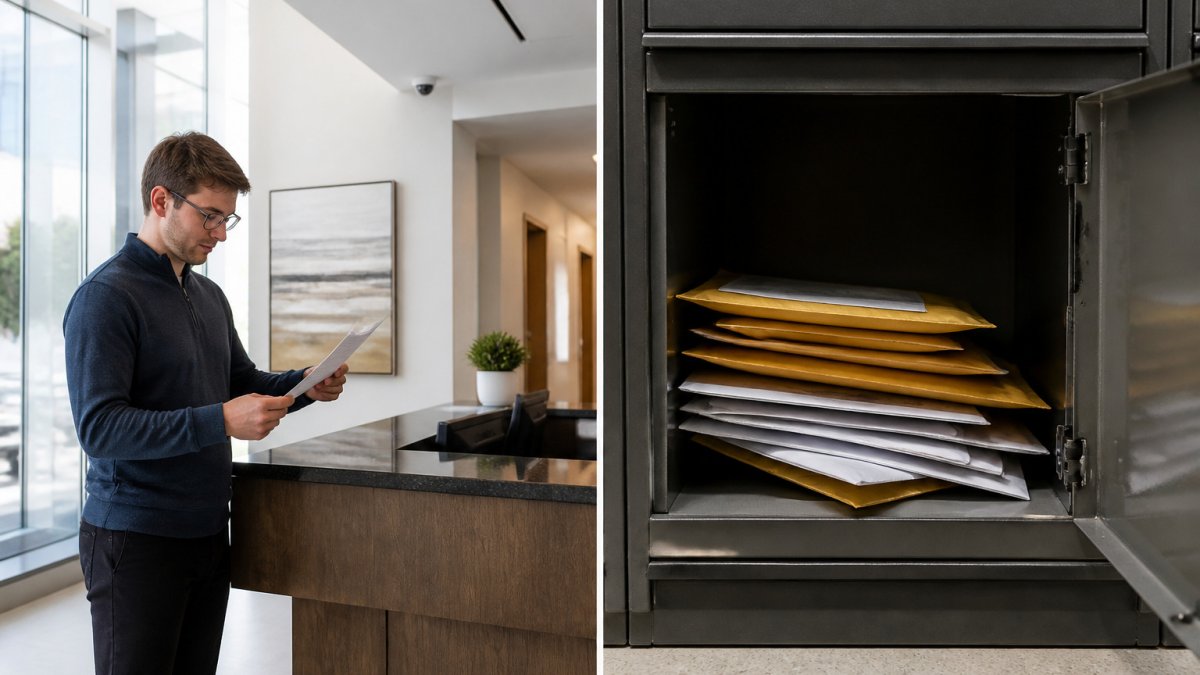
A PO box:
- Hides your home address
- Is often seen as less professional by clients
- Usually cannot receive courier packages
A virtual office address:
- Uses a street address that looks like a real office
- Can receive packages and courier deliveries
- Often supports business registration needs
For a freelancer who mostly meets clients online, a PO box may be enough. For a counsellor, consultant or start-up that needs a credible address on its website and paperwork, a virtual office usually makes more sense.
Compare the two carefully. Ask each option what it can receive, whether it can be used on registration, and what it costs per month.
Virtual Office Mail Handling and Forwarding
Mail handling is where a virtual office earns its keep. Good providers do three things well: they receive your mail, they protect it, and they forward or scan it quickly.
A typical process looks like this:
- Mail and parcels arrive at the business address.
- Staff log each item and store it securely.
- You are notified, often by email.
- You choose to pick up, forward, shred or have it scanned.
Ask a few questions before you choose a provider:
- How quickly is mail logged and sent to you?
- Are envelopes scanned, or only logged?
- What does forwarding cost, and who pays for postage?
- How long is mail stored before it is discarded?
Ask any provider for its current mail-handling process and fees before you commit.
Privacy Beyond the Address: Data Protection and Digital Security
Most articles treat address privacy and data privacy as separate topics. They are not. Your business address is itself personal information when it is tied to you as a sole proprietor, and how you collect, store and disclose it falls under Canada’s privacy laws. That is the angle most competitors skip.
The legal link between your address and your data
The federal Personal Information Protection and Electronic Documents Act (PIPEDA) applies to many private-sector organizations that collect, use or disclose personal information in the course of commercial activity. Some provinces have their own private-sector privacy laws that may apply instead of or alongside PIPEDA, and health information is often covered by separate provincial health privacy laws. Check the current requirements that apply to you with the relevant privacy regulator.
Why this matters for a virtual office:
- Your home address can be personal information. If you run a sole proprietorship, your home address may be identifiable personal information. Publishing it on a website is a disclosure.
- Your provider handles your mail. A virtual office provider receives and may scan or forward documents that contain personal information about you and your clients. Ask how they protect it.
- Your client data is separate. Address privacy does not protect client files. You still need safeguards for the personal information you hold.
A hidden business address reduces one exposure. It does not satisfy your privacy obligations. Treat address privacy and data privacy as two layers of the same defense.
Questions to ask a provider about data handling
Before you sign, ask how the provider handles the personal information that passes through your mailbox:
- Are envelopes scanned, and where are the scans stored?
- Who can access your mail log?
- How long are scans and physical mail retained?
- Is mail shredded on request, and is there a record of destruction?
A provider that cannot answer these clearly is a privacy risk, not a privacy solution.
Digital security that complements a virtual address
Address privacy and digital security work together. A hidden address does little if your email is compromised and your client list leaks.
- Use a password manager and two-factor authentication on email, banking and your provider portal.
- Encrypt client files in cloud storage with access limits and audit logs.
- Separate business and personal accounts so a breach in one does not expose the other.
- Limit what you publish. Avoid posting your schedule, location or travel plans on social media.
A simple privacy stack
Think of privacy in three layers:
- Address layer, a virtual office address keeps your home off public records and marketing materials.
- Mail layer, secure receiving, logging, scanning and destruction protect the documents that arrive.
- Data layer, encryption, access controls and staff training protect the information you store digitally.
Weakness in any one layer undermines the others. A provider that handles the first two well still leaves the third to you.
Ask your provider for a written description of how they handle mail containing personal information. Keep that document with your privacy records.
Choosing a Virtual Office That Protects Your Privacy
Not every provider is the same. Use a short checklist before you sign anything:
- Is the address in a real, well-kept building?
- Does the plan allow use on business registration?
- How is mail stored, logged and forwarded?
- Are the fees listed clearly, with no hidden charges?
Ask for the full fee schedule in writing, including mail forwarding, meeting room bookings and any setup costs. Pricing depends on the plan and services you choose, so request a current quote from Boss Business Centres.
Boss Business Centres is a local, family-owned business in Burnaby. Its Class “A” building offers floor-to-ceiling windows and a high-powered HVAC system, and it is connected to the SkyTrain.
Frequently Asked Questions
How does a virtual office address protect your privacy?
A virtual office address gives your business a street location that is not your home. When you register the business or list it publicly, the virtual address appears on records instead of your residence. Mail and visitors are directed to the virtual office, so people who look up your business cannot easily connect it to where you live. The protection depends on how the address is used consistently across your registration, website, invoices and contracts, so it is worth checking that every document uses the virtual address.
Will a virtual office address keep my home address off public business records?
In many cases it will, provided you enter the virtual office address as your business and mailing address when you register. Corporate and business name filings are public, so whatever address you submit is what appears. Requirements vary by registration type, and some filings may still ask for a residential address for specific individuals. Check the current requirements with the registry before you file, and do not assume an older filing has been updated automatically.
What is the difference between a virtual office address and a PO box?
A PO box is a mailing address only. A virtual office usually provides a street address that can be used for business registration, a professional letterhead address and mail handling, and often includes a receptionist and call handling. Some organizations and courier services do not deliver to PO boxes, so a street-based virtual office address is often more practical for a business. Pricing and service levels vary, so request a current quote from Boss Business Centres for the options available.
Does a virtual office address guarantee that my home address will stay private?
No single measure guarantees privacy. A virtual office address removes your home address from the business address fields, but your home address can still appear in other places, such as personal property records, a domain registration or documents you sign and submit yourself. Review each place your information is listed, keep your personal and business details separate, and ask your provider how they handle mail and visitors for your account.