

Table of Contents
- Why Remote Teams Need Meeting Rooms in a Hybrid Workplace
- Meeting Rooms for Hybrid Teams: When a Room Beats a Video Call
- Hybrid Meeting Room Setup: Equipment and Room Design That Works
- Meeting Room Booking Best Practices for Distributed Teams
- In-Person Meetings for Remote Teams: Making Every Session Count
- Privacy, Security, and Accessibility in Shared Meeting Spaces
- Conclusion: Treating the Meeting Room as a Strategic Tool
- Frequently Asked Questions
Last Updated: October 12, 2026
Why Remote Teams Need Meeting Rooms in a Hybrid Workplace
Meeting rooms give remote teams a shared space for the conversations that video calls handle badly. At Boss Business Centres, we watch distributed teams book a room for interviews, workshops, and client pitches, then run routine check-ins from home.
A video call cannot hold eight people around one table with a whiteboard, give a new hire a quiet, professional room for their first week, or signal to a client that this conversation matters.
Below, we break down when a room beats a call, what equipment it needs, and how to book it well.
Meeting Rooms for Hybrid Teams: When a Room Beats a Video Call
A meeting room beats a video call when the session needs presence, privacy, or shared physical space. For a quick status update, stay remote; for a workshop or sensitive talk, book the room.
Five Scenarios That Justify Booking a Room
- Job interviews. A quiet room with good lighting reads as professional. A bedroom with a bad webcam does not.
- Client pitches. Clients notice where you meet. A real conference room builds trust in seconds.
- Workshops and planning days. Whiteboards and one table beat a shared screen every time.
- Sensitive talks. Performance reviews and legal discussions belong behind a closed door.
- Team onboarding. New hires learn faster when they sit with people for a day.
When to Keep It Remote
Not every meeting earns a room. Skip the booking when the agenda is short, the group is small, and no one needs to share a screen or a wall.
- Daily stand-ups
- One-on-one check-ins
- Quick decisions with two or three people
Book the room for the hour before your meeting, not just the meeting itself. Setup, testing, and a few minutes of small talk with in-person colleagues all happen before the official start.
Hybrid Meeting Room Setup: Equipment and Room Design That Works
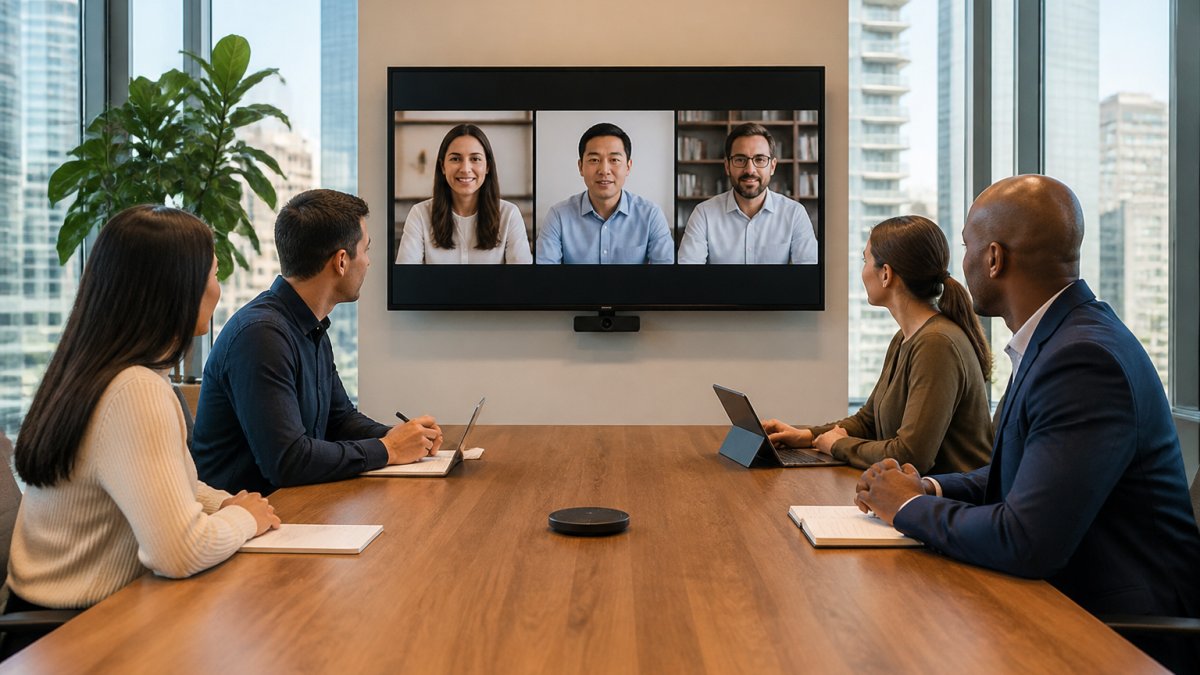
A hybrid meeting room setup needs three things above all: a clear picture, clear sound, and a reliable connection.
Core Audiovisual Equipment Checklist
- Large video display on the wall
- Wide-angle camera that captures the whole table
- Ceiling or table microphone that picks up every seat
Room Acoustics, Lighting, and Internet Connectivity
Sound quality matters more than video quality: remote attendees forgive a soft image but not an echo. Soft furnishings, rugs, and acoustic panels cut the bounce. Face windows for natural light, but never sit with your back to them.
Internet connectivity is the quiet failure point. Test the connection before the first real meeting.
Meeting Room Booking Best Practices for Distributed Teams
Booking a room is easy. Booking the right room, at the right time, with the right people in it, is the part distributed teams get wrong. The problem is not the booking tool: the room lives on one calendar and the team lives on another.
A Booking Workflow That Prevents Double Bookings
Most double bookings come from recurring meetings that outlive their purpose, rooms booked “just in case,” and calendars that do not sync. A short workflow fixes all three.
- Confirm the meeting needs a room at all. If the agenda is short, the group is small, and no one needs a shared screen or wall, keep it remote.
- Check the room’s calendar and the attendees’ calendars in the same step. If your tool does not show both, book the room, send the invite immediately, and confirm attendance within the hour.
- Set a default booking length shorter than the meeting. Book 45 minutes for a 60-minute meeting so the next group is not waiting at the door.
- Add a buffer. Ten minutes before and after gives the previous group time to leave and your group time to test the tech.
- Name a room owner. One person confirms the booking, tests the tech, and releases the room if plans change.
- Release unused bookings automatically. Any booking not confirmed by a set time goes back to the pool.
Coordinating In-Person Attendance with Distributed Calendars
The hard part is not the room, but knowing who will actually be in it.
- Add a single required question to the invite: “Attending in person or remote?”
- Set a cutoff. If fewer than two people confirm in person, cancel the room and move the meeting fully remote.
- Put the room name, address, floor, and join link in the same calendar entry, not across two invites.
Reducing Wasted Room Time
Wasted room time is the silent budget leak in a hybrid setup: rooms booked and empty, rooms used for five minutes of a 60-minute slot, and rooms that sit dark because no one knows they are free.
- Track utilization, not bookings. A room booked 20 times a month and used for 10 minutes each time is less valuable than one booked 5 times and used for a full hour.
- Review usage quarterly. Look at peak hours, average session length, and no-show rate, then adjust the booking window and room mix.
- Right-size the room. A four-person room used for two-person calls is a waste; a large room used for a two-person call is a bigger one.
When to Rent a Room vs. Use a Coworking Space vs. Stay Home
The right choice depends on how often you need the room and how sensitive the work is.
- Home office. Fine for routine calls and one-on-ones. Not suitable for client pitches, interviews, or confidential discussions if the space is not private.
- Coworking day pass or hot desk. Good for occasional in-person work and short meetings. Check whether the pass includes meeting-room credits or charges separately.
- Dedicated meeting room rental. The right choice when you need a professional setting, reliable audiovisual equipment, and a private door on a predictable schedule.
Remote-first teams often overpay for a permanent office they use twice a week, then underinvest in the meeting rooms they actually need. Match the commitment to the frequency.
Before you sign anything, run a one-month trial. Track how many hours the team actually uses the space, what time of day, and for what kind of meeting. The numbers will tell you whether you need a day pass, a dedicated room, or a private office.
Good booking is not about the tool. It is about a workflow that confirms who is coming, a calendar that shows the room and the people together, and a quarterly review that catches the rooms no one is using.
In-Person Meetings for Remote Teams: Making Every Session Count
In-person meetings for remote teams should feel different from a video call. Plan the agenda around what only a room allows: whiteboarding, hands-on work, and relationship building.
Making Remote Attendees Feel Equally Present
Remote attendees should never feel like spectators. Give them a seat at the table, even a virtual one.
- Say their name when they speak
- Repeat questions from the room so the mic catches them
- Share the screen, not just the whiteboard photo
The test of a hybrid meeting is simple: could a remote attendee lead the session if they had to? If the answer is no, the setup needs work.
Privacy, Security, and Accessibility in Shared Meeting Spaces
Privacy in a shared building is a stack of choices about the room, the network, the acoustics, and the habits your team brings into the call. Most remote teams get the first layer right and skip the rest.
Choosing the Right Room for the Conversation
Match the room to the sensitivity of the discussion, not to the size of the group.
- Open coworking desks. Fine for status updates and anything already in a shared doc. Assume every word is audible to the row behind you.
- Phone booths and focus pods. Good for one-on-one calls and interviews where you need a closed door but not a full table. Check the pod has a working fan; a hot pod becomes a short call.
- Dedicated meeting rooms. The right choice for performance reviews, legal discussions, client financials, and anything covered by a confidentiality agreement.
Teams often default to the largest room available because it is free. That is backwards: book the smallest room that fits the conversation.
Network and Device Security for Remote Meetings
A meeting room is only as private as the network it sits on.
- Prefer wired ethernet or a dedicated network for the room over shared guest Wi-Fi. Shared Wi-Fi in a coworking building is convenient, not confidential.
- Keep meeting-room devices on a separate network segment from personal laptops where the building allows it.
- Use the platform’s waiting room and meeting lock so an uninvited participant cannot drop into a confidential call.
Acoustics: The Privacy Layer Most Teams Ignore
Sound travels through walls, doors, and ventilation. A closed door is not a soundproof door.
- Soft furnishings, rugs, acoustic panels, and fabric chairs reduce bounce and bleed.
- Position the table away from shared walls and glass partitions.
- Test it: have a colleague stand outside the closed door while you speak at normal volume. If they can follow the conversation, the room is not private enough for confidential work.
A glass-walled meeting room looks private and is not. Glass reflects sound rather than absorbing it. If the room has glass on two or more sides, treat it as semi-private and save the most sensitive conversations for a solid-walled room.
Accessibility and Inclusive Meeting Design
Accessibility is a design decision, not a checklist item added at the end. Build it into the room and the meeting format so remote and in-room participants participate on equal terms.
Room-level accessibility:
- Step-free access to the room, not just to the building.
- Clear signage and a route that does not require asking for help.
- Adjustable-height tables and seating that works for a range of body types and mobility needs.
Meeting-level accessibility:
- Turn on live captions by default. They help remote attendees, anyone with hearing loss, and anyone in a noisy environment.
- Place the camera so it captures faces and, where relevant, hands and signing space.
- Share slides and documents in advance so attendees can follow at their own pace.
A practical test: could a remote attendee with a hearing impairment follow the entire meeting without asking anyone to repeat themselves? If not, the design needs work.
Privacy and accessibility are the same problem from two directions: making sure everyone in the meeting can participate fully and no one outside it can. Get both right and the room earns its cost.
Conclusion: Treating the Meeting Room as a Strategic Tool
The teams that use meeting rooms well treat them as a tool, pulled out when the work calls for it.
Boss Business Centres offers private offices, counselling rooms, and meeting space in a Class “A” building connected to the SkyTrain. Our flexible plans come with no hidden fees, and our family-owned team has supported local businesses for over six years.
Contact us now to find the right space for your team.
Frequently Asked Questions
Why do remote teams need meeting rooms?
Remote teams need meeting rooms for high-stakes conversations that video calls cannot support well. When teams gather in person for interviews, client meetings, or brainstorming sessions, meeting rooms create a focused, confidential setting. They also give distributed team members a reason to connect face-to-face.
What equipment does a remote team need in a hybrid meeting room setup?
A functional hybrid meeting room setup needs a video display large enough for remote attendees to be seen clearly, a wide-angle camera, ceiling or table microphones, and speakers. One-touch join for your meeting platform and calendar integration. Test the full setup before a client meeting or interview so remote participants are not left troubleshooting while the conversation moves on.
When should a remote team meet in person instead of on video?
Book a room for interviews, client meetings, sensitive business discussions, and collaborative sessions like brainstorming or planning. These benefit from privacy. Routine status updates, quick check-ins, and one-on-one conversations usually work fine on video. A simple rule: if the meeting involves confidential information, a decision that needs full attention, or building trust with someone new, use a meeting room.
How can meeting room booking best practices improve hybrid team collaboration?
Set clear booking windows so rooms are not double-booked, and use calendar integration so remote attendees see the room location alongside the video link. Keep a standing room for recurring client sessions and interviews. Confirm the room has working audiovisual equipment before the day of the meeting. Review utilization monthly to spot rooms that sit empty or get overbooked.