

Table of Contents
- What to Prepare Before You Book a Private Meeting Room
- Step 1: Choose the Right Type of Space for Your Meeting
- Step 2: Understand Hourly Meeting Room Rental and Pricing Structures
- Step 3: Check Professional Office Space Amenities Before You Commit
- Step 4: Confirm Location, Transit Access, and Parking
- Step 5: Follow Meeting Room Booking Best Practices
- Step 6: Plan Catering, Setup, and Day-of Logistics
- Common Mistakes to Avoid When Booking a Private Meeting Room in Burnaby
- Frequently Asked Questions
Last Updated: September 30, 2026
What to Prepare Before You Book a Private Meeting Room
Booking a private meeting room in Burnaby goes smoothly when you arrive with three things settled: your meeting type, your guest count, and your time window. This guide walks through the full process, from choosing the right space to handling day-of logistics, so you can book with confidence rather than guesswork.
Define Your Meeting Type and Guest Count
Start by naming the meeting. A client pitch, a counselling session, and a team interview all need different rooms.
- Client pitches and presentations: need a boardroom setup with a screen, reliable video conferencing, and seating that faces the presenter
- Interview space: smaller rooms work better, ideally with a table between parties and a door that closes properly
- Counselling or confidential sessions: prioritize sound isolation and a quiet corridor over square footage
- Workshops and training: look for flexible layouts and enough capacity for movement
Set Your Budget and Time Window
Decide whether you need a full-day rate, a half-day rate, or an hourly rental before you start comparing spaces. A one-hour client meeting and a six-hour strategy session have very different cost profiles.
Step 1: Choose the Right Type of Space for Your Meeting
The right space depends on how often you’ll use it and how much privacy you need. Coworking, private offices, and dedicated meeting rooms each solve a different problem.
Comparing Coworking, Private Offices, and Dedicated Meeting Rooms
Coworking space gives you a desk in a shared environment. It suits solo work but offers limited privacy for client sessions.
Ask whether the meeting room booking includes setup time. Some spaces bill from the moment you arrive, others from your booked start time. Knowing which applies prevents surprise charges.
Step 2: Understand Hourly Meeting Room Rental and Pricing Structures
Hourly meeting room rental is the most flexible way to book, but the rate structure matters as much as the number. Most spaces offer three tiers: hourly, half-day, and full-day. What separates a good booking from a costly one is understanding what actually drives the rate, and what the quote does and does not include.
Full-Day, Half-Day, and Hourly Options
| Option | Best For | Typical Use |
|---|---|---|
| Hourly rental | Short client meetings, interviews | 1-3 hour sessions |
| Half-day rate | Workshops, multi-session days | 3-5 hours |
| Full-day rate | Training, all-day strategy | 6+ hours |
What Actually Drives the Rate
Four variables move the price more than anything else:
- Room capacity and layout. A four-person interview room and a twelve-seat boardroom are not the same product. Boardrooms with a fixed conference table and integrated AV sit at the top of the range.
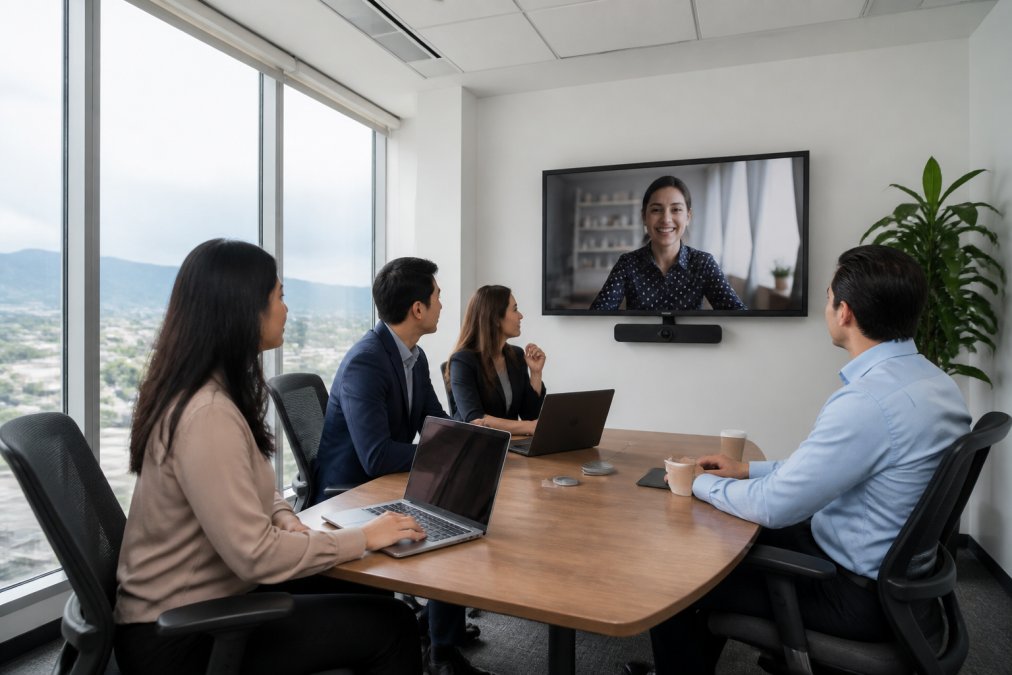
- AV and video conferencing hardware. A room with a tested video conferencing bar, ceiling microphones, and a wall-mounted display costs more to operate than a room with a whiteboard and a wall outlet. For client-facing meetings, that premium is usually worth it.
- Time of day and day of week. Mid-morning and early afternoon on weekdays are peak. Early morning, late afternoon, and Fridays are often discounted because demand drops.
- Commitment. A one-off hourly booking is priced higher per hour than a monthly plan or a bundle of pre-purchased hours. If you meet clients weekly, ask about a recurring block.
What to Ask Before You Accept a Quote
Get answers to these five questions in writing:
- Is setup and teardown time billed? Some spaces bill from the moment you arrive; others bill from your booked start time. A 30-minute setup on a one-hour booking can effectively double your cost.
- What is included in the rate? Utilities, high-speed internet, printing, and on-site support are sometimes bundled and sometimes line-itemed. Ask for the inclusions list, not just the headline number.
- Is there a deposit? Many spaces require a credit card on file or a partial deposit for full-day and multi-day bookings. Know the amount and the refund conditions.
- What is the cancellation window? A 24-hour notice period is common for hourly bookings; full-day and event bookings often require 48 to 72 hours. Cancelling inside the window can trigger a full or partial charge.
- Is the rate guaranteed for recurring bookings? If you plan to book the same room monthly, ask whether the rate is locked or subject to change.
Instant Book vs Inquiry: Two Different Workflows
Booking platforms generally use one of two workflows, and the difference matters when your meeting is time-sensitive:
- Instant book confirms the room immediately and charges or holds your card at the time of booking. It is the right choice for standard hourly and half-day reservations where the room is available.
- Inquiry-based booking sends a request that the space confirms manually, often within a few business hours. It is common for full-day bookings, events, and rooms that require custom setup. The trade-off is speed: you may not have confirmation the same day.
Step 3: Check Professional Office Space Amenities Before You Commit
Professional office space amenities decide whether your meeting runs smoothly or stalls. The essentials are reliable internet, working presentation equipment, and a room that stays comfortable for the full session.
Technology, Comfort, and On-Site Support
Confirm these before you commit:
- High-speed internet with a backup connection
- Video conferencing that’s tested and ready, not just present
- Presentation facilities including a screen or projector and cables
- Climate control, which matters more than people expect in a room with floor-to-ceiling windows
- On-site support so someone can fix a technical problem in minutes, not hours
A Class “A” building with a high-powered HVAC system keeps air moving and temperature stable, which quietly improves every meeting you hold there.
Skipping a technology test before a client pitch is the most common mistake we see. Arrive fifteen minutes early and run your presentation once. A screen that won’t connect costs you the first ten minutes of your meeting and a chunk of your credibility.
Step 4: Confirm Location, Transit Access, and Parking
Location decides attendance. A space that’s easy to reach gets full attendance; a space that’s awkward gets cancellations.
Step 5: Follow Meeting Room Booking Best Practices
Good meeting room booking best practices come down to three things: book early, read the policy, and confirm the terms. But the policy itself is where most bookings go wrong, because cancellation windows, deposit rules, and booking workflows vary widely between spaces, and almost no guide explains them side by side.
Booking Policies, Cancellation Terms, and Instant Booking
- Book early for peak times, especially mid-morning and early afternoon
- Read the cancellation terms so you know the notice period and any fees
- Use instant booking where it’s offered, which removes back-and-forth emails for simple reservations
- Confirm the rental terms in writing, including setup and teardown windows
Cancellation Windows: What to Expect
Cancellation policies are not standardized. A common pattern is:
- Hourly and half-day bookings: 24 hours’ notice for a full refund or no charge
- Full-day bookings: 48 to 72 hours’ notice
- Event and custom-setup bookings: 7 days or more, sometimes with a non-refundable deposit
Ask two questions before you book: what is the notice period, and what happens if you cancel inside it? The answer is often a partial charge (50 percent is common) or a full charge for no-shows. If your meeting depends on a client confirming, book a space with a generous window rather than gambling on a tight one.
Deposits and Payment Terms
Deposit requirements scale with booking size. A typical structure:
- Hourly bookings: credit card on file, charged after the session
- Half-day and full-day bookings: a deposit of 25 to 50 percent at the time of booking, with the balance due on the day
- Recurring or multi-day bookings: a signed agreement and a deposit, sometimes with a minimum commitment
Ask whether the deposit is refundable, and under what conditions. A deposit that is applied to the final invoice is different from a deposit that is forfeited on cancellation.
Instant Book vs Inquiry: Which to Choose
- Instant book confirms immediately and is best for standard hourly and half-day reservations where the room is available. It is the right choice when your meeting is within 48 hours.
- Inquiry-based booking requires manual confirmation, often within a few business hours. It is common for full-day bookings, events, and rooms needing custom setup. Build in extra lead time.
If you need a custom layout, catering, or AV setup, expect an inquiry workflow. If you just need a room and a screen, instant book saves a day of email.
A Pre-Booking Checklist
Run through this before you confirm:
- Notice period for cancellation, in writing
- Deposit amount and refund conditions
- Setup and teardown billing rules
- Whether the rate is locked for recurring bookings
- Whether the booking is instant or inquiry-based
Flexible plans without hidden fees are worth prioritizing. A lower headline rate with surprise charges attached is rarely the cheaper option.
The best booking policy is one you’ve read before you need it. Know your cancellation window, deposit terms, and setup rules before the day of your meeting, not after.
Step 6: Plan Catering, Setup, and Day-of Logistics
Catering and food options are where many bookings fall short. Ask whether outside food is allowed, whether the space provides catering, and where attendees can grab coffee nearby.
Day-of logistics to settle in advance:
- Who greets attendees and where
- Whether reception services are available
- Where coats and bags go
- How the room gets reset afterward
Common Mistakes to Avoid When Booking a Private Meeting Room in Burnaby
The costliest mistakes are the boring ones. Booking too late, skipping the technology test, and ignoring the cancellation terms cause more disruption than any room feature ever will.
Other frequent missteps:
- Underestimating capacity. A room that seats eight comfortably holds six with laptops and coffee
- Forgetting the buffer. Back-to-back bookings leave no room for overruns
- Assuming amenities. Confirm high-speed internet, video conferencing, and presentation facilities rather than expecting them
- Overlooking accessibility. Transit access and step-free entry affect who can actually attend
Frequently Asked Questions
What amenities should I look for when booking a private meeting room?
Prioritize high-speed internet, video conferencing equipment, a whiteboard or presentation screen, comfortable seating, and climate control. Check for on-site reception services to greet your guests and a quiet, professional environment. For client sessions or interviews, confirm the room is fully private with sound insulation. Boss Business Centres offers these amenities in a Class A building with floor-to-ceiling windows.
Are there hourly rental options for meeting rooms in Burnaby?
Yes, many flexible workspaces in Burnaby offer hourly meeting room rentals. This is ideal for short client pitches, interviews, or team check-ins. Hourly rates typically include access to standard amenities like Wi-Fi and AV equipment. Some locations also offer half-day and full-day rates for longer sessions. Contact Boss Business Centres for current hourly availability and pricing.
How do I ensure my meeting space is secure and private?
Book a dedicated private meeting room rather than an open coworking area. Confirm the room has a door you can close, soundproofing, and a policy that prevents interruptions. Ask about visitor management: a reception desk that checks in guests adds security. For confidential discussions, avoid spaces with glass walls facing high-traffic areas. Boss Business Centres provides fully private rooms suitable for counselling and sensitive meetings.
What is the difference between a coworking space and a private meeting room?
A coworking space offers open, shared desks and communal areas for daily work. A private meeting room is a bookable, enclosed space for a specific time slot, designed for presentations, client meetings, or interviews. Coworking memberships often include meeting room credits. If you only need occasional professional space, hourly meeting room rental is more cost-effective than a full-time coworking desk.
Booking the right private meeting room comes down to matching the space to the meeting, confirming the terms before you commit, and handling logistics before the day arrives. Boss Business Centres supports professionals across Burnaby and the Tri-Cities with flexible plans, no hidden fees, a high-powered HVAC system, and a prime SkyTrain-connected location in a Class “A” building. Contact us now to check workspace availability and book your next meeting room.